The whole scene fits in the link
Share gives you a URL with the entire scene compressed into it — no server, no account, no upload. Whoever opens it gets your room, exactly, down to the float.
 Little Pretty Lights
Free · In your browser · No install
Lasers, prisms, mirrors and glass, traced live on your GPU. White light hits a prism and comes out a spectrum — not because someone painted a rainbow there, but because the simulation is tracking wavelengths and they bend by different amounts.
Opens littleprettylights.app. Nothing to install and no account. It needs a browser with WebGPU — recent Chrome or Edge on desktop is the safe bet.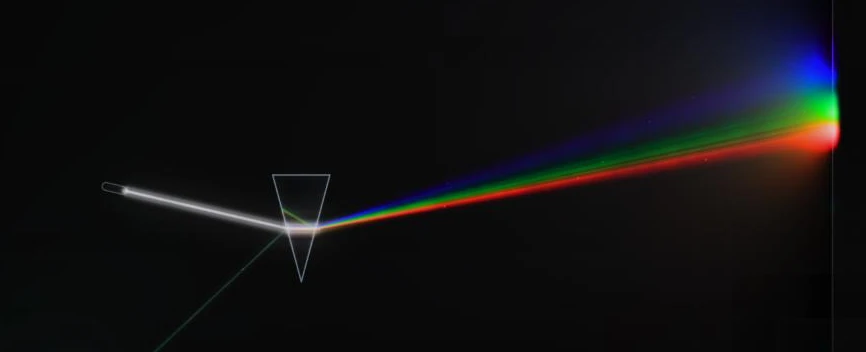
Most puzzle games about beams move a line around. This one runs an actual spectral renderer: light carries a wavelength, glass has a refractive index that depends on it, and a prism separates white into its colours because that is what those two facts do when you put them together.
Which means the puzzles can ask for things a line-drawing game cannot. Get 440–490 nm onto this sensor and keep everything else off it. Total internal reflection at a shallow enough angle. A filter that passes one band and eats the rest. You are not learning the game's rules — you are learning optics, and the game just happens to be scoring it.
Light travels in straight lines until something turns it. Mirrors, flat and bowed.
Glass does not turn light so much as lean on it. Blocks, lenses and balls.
One beam, two paths — by geometry with a half-silvered line, or by colour with a prism.
Choosing what gets through: colour by colour with filters, all of it at once with a shadow.
Light that cannot get out. Shallow angles inside glass, and walls that make the dark.
Every tool on the rail, and puzzles that need more than one of them.
Nothing here holds still. Catch the light where it slows down, and keep it there.
Each level hands you a specific allowance — sometimes exactly one mirror — and a sensor to light up. The rail on the left is everything the game has; a level greys out what it is not giving you.
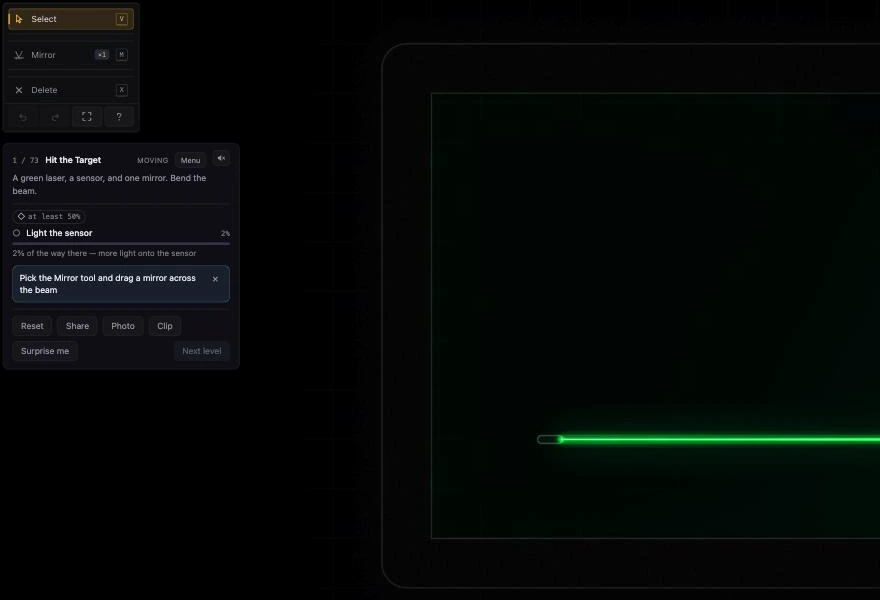
The sandbox is the campaign with the rules taken off. Every optic, no allowance, nothing to win. Build the thing you were curious about halfway through act three. Whatever you make is saved as you go, and Surprise me deals you a generated room if you would rather start from something than from nothing.
Share gives you a URL with the entire scene compressed into it — no server, no account, no upload. Whoever opens it gets your room, exactly, down to the float.
Not just the picture: the goals, the sensors they name, and which tools the solver is allowed. You can hand someone a challenge, not just a screenshot.
Single ray is one clean beam. Full lets the light fill the room and bounce — slowest, prettiest, and the reason the whole thing runs on WebGPU.
Red-weak, green-weak and blue-weak colour-vision modes, a brightness dial, and a reduce-motion switch that stops the dust and the shimmer.